

AI Agents for Houston Businesses
Put AI to Work — Safely, With the Tools Your Team Already Uses
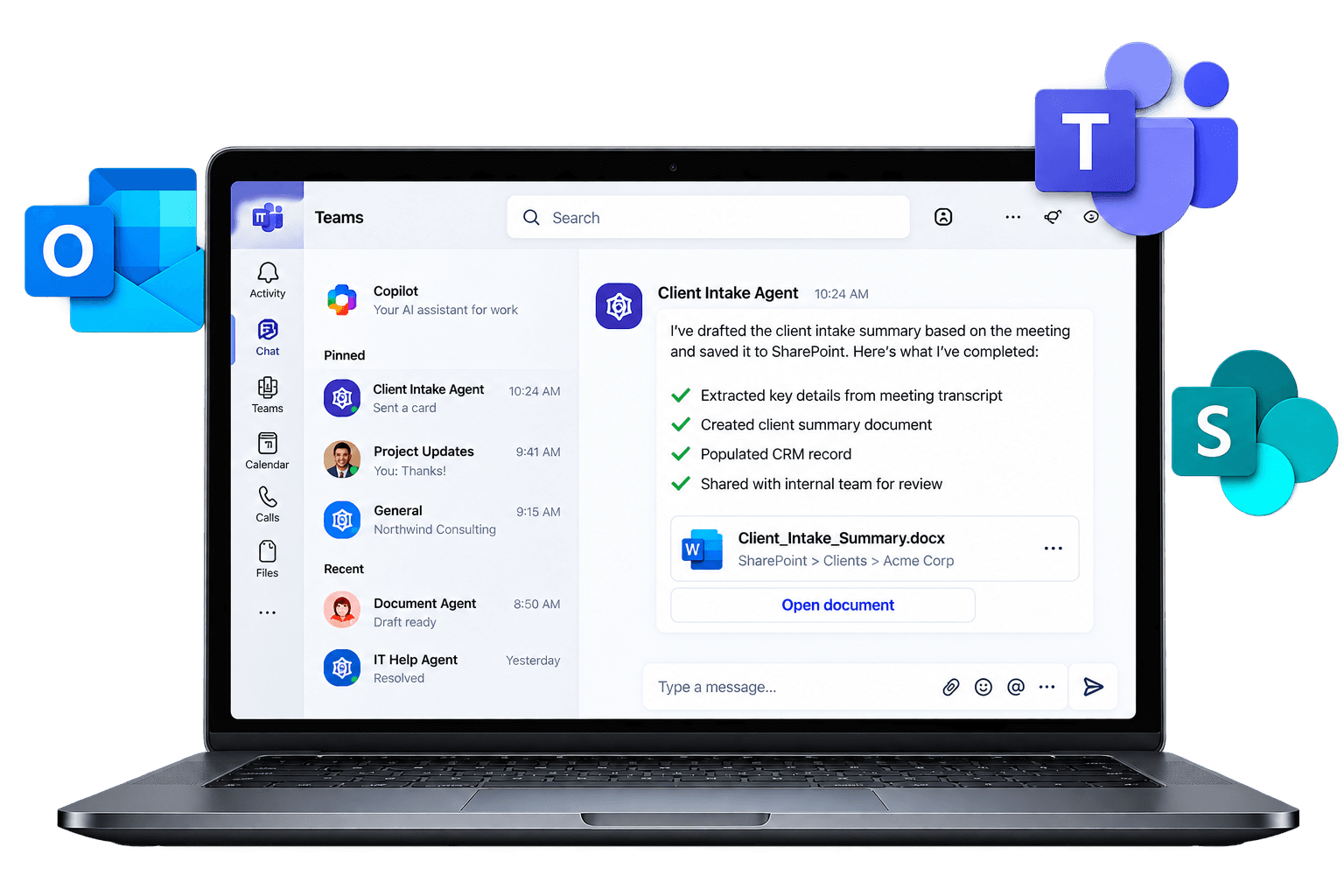
We build AI agents inside Outlook, Teams, and SharePoint that take repetitive work off your team's plate - client intake, document drafting, answering the same questions over and over. And we lock down your data first, so AI only sees what it should.

Sound familiar?
Everyone's using AI. Nobody set the rules.
Your team is pasting client details into free chatbots. There's no policy, and no one knows what's gone where.
You bought Copilot. Nobody uses it.
A few licenses, a few tries, some generic answers - and now it's just another line on the Microsoft bill.
Your best people are buried in busywork.
Chasing documents. Answering the same questions. Retyping data from one system into another. Hours every week that should go to clients.
AI can fix the third one. But only if someone fixes the first two.
A chatbot answers questions. An agent does the work.
An AI agent is a digital assistant built for one specific job in your business. It follows your process, uses your files, and works inside the tools your team already has open all day - Outlook, Teams, and SharePoint. When it isn't sure, it hands off to a person.
Example: a new-client intake agent
- 1
Email arrives
A prospective client emails your general inbox.
- 2
Agent reads & gathers
It pulls the key details and checks them against your intake checklist.
- 3
Agent drafts
It prepares an engagement letter from your template and files it in the right SharePoint folder.
- 4
Human approves
Your team gets a Teams message to review and send. Nothing goes out without a person.
Same idea, different jobs: an HR helper that answers “how do I request PTO?” from your own policies, an onboarding agent that walks new hires through week one, or a document assistant that finds the right spec in seconds.
Why AI might be able to see your payroll file
AI agents in Microsoft 365 can find anything the person using them already has access to. That's by design - and it's a problem, because most small businesses have years of overshared folders, old “Everyone” permissions, and former employees' files nobody cleaned up.
Before AI, nobody stumbled onto the salary spreadsheet because nobody went looking. With AI, one casual question can surface it.
Before: years of overshared folders
After: clean, role-based access
AI doesn't create your security problem. It reveals the one you already have.
That's why every TechVora AI project starts with your permissions - not with the agent.
AI done in the right order
Three steps. Every client. No shortcuts.
- 1
Secure - AI only sees what it should.
We clean up oversharing and permissions, set an AI acceptable-use policy for your team, and put data-protection controls on what matters most.
- 2
Build - one real job, done by AI, in about 30 days.
We pick one high-value task with you, build the agent inside your Microsoft 365, connect it to the right files, and test it with the people who'll use it.
- 3
Manage - it keeps working, and someone local owns it.
We monitor accuracy and use, keep its knowledge current, adjust access as people join and leave, and add new agents when you're ready.
What could an agent take off your plate?
Real examples from the kinds of Houston businesses we support.
Intake summarizer
Turns inquiry emails into a clean new-matter summary.
Letter drafter
First drafts of engagement letters from your templates.
Matter search
“Where's that document?” answered in seconds.
Most AI consultants build an agent and leave. We're your IT department.
We already know your setup
We manage Microsoft 365 for Houston businesses every day - permissions, devices, email, SharePoint. AI sits on top of that, so we start where others have to guess.
Built on what you already pay for
No new platform to learn. Agents live in Outlook, Teams, and SharePoint, under the security you already have.
Local and accountable
A Houston team that picks up the phone. When an agent needs a tweak, you call us - not a ticket queue.
Start small. No lock-in.
One agent, one task, measured before and after. If it doesn't earn its keep, you don't keep paying for it.
From “we should be using AI” to a working agent
- 1
AI Opportunity Session
Free · 30 minutes
We learn how your team works and identify 2-3 tasks an agent could handle. You leave with ideas whether or not you hire us.
- 2
AI Readiness Audit
Fixed price, quoted up front
We review permissions and oversharing, find the AI tools your team already uses, check your licensing, and hand you a prioritized roadmap.
- 3
Your First Agent
Fixed price, quoted up front · about 30 days
We build one agent for one task, test it with your team, and measure the time it saves. Then you decide what's next.
Start here instead
AI Acceptable Use Policy Template
A ready-to-adopt policy for your team: approved tools, what data never goes into AI, and a sign-off page.
AI Agent Idea Bank
25 tasks Houston businesses are handing to AI, sorted by industry and department.
AI Readiness Check
4 minutes. Find out how ready your data, permissions, and team are for AI.
FAQs
Questions Business Owners Ask
Is our data safe?
Your agents are built inside your own Microsoft 365, under the security and compliance settings you already have. And we clean up permissions before we build anything, so an agent can only see what the person using it should see.
Do we need to buy Copilot licenses?
It depends on the agent. Some work with what you already have; others need additional licensing. We review what you own during the audit and tell you exactly what's needed - and what isn't - before you spend anything.
We're only 15 people. Is this for us?
Yes. Smaller teams often get the most out of it, because every hour matters more. If one person spends several hours a week on the same task, that's a good first agent.
Will AI replace my staff?
The goal is to take the tedious part of the job away, not the job. Agents handle the repetitive steps; your people handle judgment, clients, and approvals.
We tried Copilot and weren't impressed. Why is this different?
Copilot out of the box is a general assistant. An agent is built for one specific job, with the right files and steps behind it. That's the difference between “help me write something” and “handle this process.”
How long does it take?
Most first agents are live in about 30 days, including the security cleanup and testing with your team.
We're in healthcare. What about HIPAA?
We scope healthcare agents carefully - first projects typically use internal policies and procedures, not patient information. Anything touching protected health information gets a specific compliance review before we build.
We use Google Workspace. Can you help?
Our agent practice is built on Microsoft 365, where most Houston businesses run. We support Google Workspace and mixed environments too, and we'll tell you honestly in the Opportunity Session what makes sense for your setup.
What happens after the first agent?
You decide. Many clients add their agents to their managed IT plan so we keep them accurate and up to date, then add new agents over time. There's no long-term contract.
What does it cost?
The Opportunity Session is free. The Readiness Audit and first agent are fixed-price and quoted up front.
Let's find your first agent
30 minutes. No pitch deck. You'll leave with 2-3 AI agent ideas specific to your business - whether or not you work with us.
We'll reply within one business day. We never share your information.
TechVora - Your Houston IT Department. Managed IT, Microsoft 365, and now AI agents for Houston businesses.